
AI video analysis
Explore a reference or your own video, from the first frame to concrete changes for your next shoot.
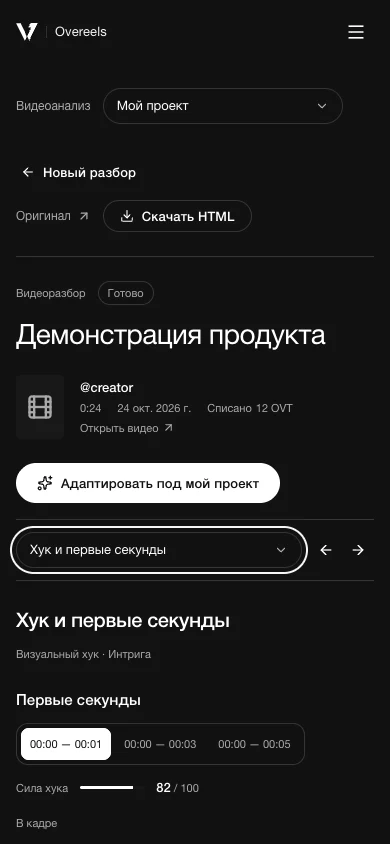

See what matters in the video.
The idea, delivery, and story in one report. Explore the AI observations and choose techniques that suit your content.

From watching to creating.
A useful reference gives you something to work with. Explore its parts before you start filming your own.
Overview
The transcript, meaning, and story. Build the full picture before exploring individual details.
The hook
What the viewer sees and hears first: action, speech, sound, and text. Explore each element of the opening.
Next steps
Notes on pacing and delivery, concrete changes, and ideas for a reshoot. Choose what helps your brief.
Your next video
Start with the video you have.
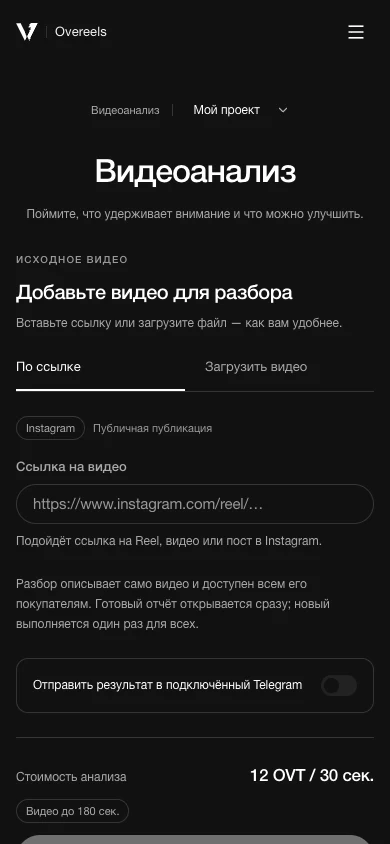
Add a video
Use a link to a post or a file from your device.
Explore the report
Open the sections you need and choose what to focus on.
Work on your next script
Use the observations in your next shoot or adapt the idea.
Good to know
Any questions?
Which videos can I analyze?
Paste a link to an Instagram post or upload an MP4, MOV or WebM file up to 100 MB — for example, your own video before publishing, or a TikTok or YouTube video saved to your device.
What does the breakdown include?
The report has three parts. “Overview” covers the transcript, meaning and how the story develops. “First seconds” covers what viewers see and hear at the start. “What to improve” gives notes on pacing and delivery and ideas for a reshoot.
How long can the video be?
It depends on the plan: up to 60 seconds on Free, 90 seconds on Starter, 3 minutes on Creator, 5 minutes on Pro and 30 minutes on Business.
Can I copy the transcript?
Yes. You can copy the speech transcript and download the whole report as HTML.
Can I analyze several videos at once?
Yes, on Pro (up to 10 videos per batch) and Business (up to 500).
Better together.
Continue your workflow with other Overeels tools.
Video library
Collect discovered videos in your project library. Revisit useful finds, explore metrics, and go from a reference to an analysis.
AI search
Describe a topic, niche, or creative approach. Explore short videos and find examples that fit your brief.
Content Radar
Explore content around your project topics, follow new discoveries, and build your reference library as you plan new posts.
Your next idea starts here.
Open Studio and start with your brief.
Open Studio